
Round Shopify Prices to .99 in Bulk Without Spreadsheets
Discover how to round Shopify catalog prices to .99 or .00 in bulk without spreadsheets using automated app rules and smart pricing workflows.

- NV Trends
- 13 min read

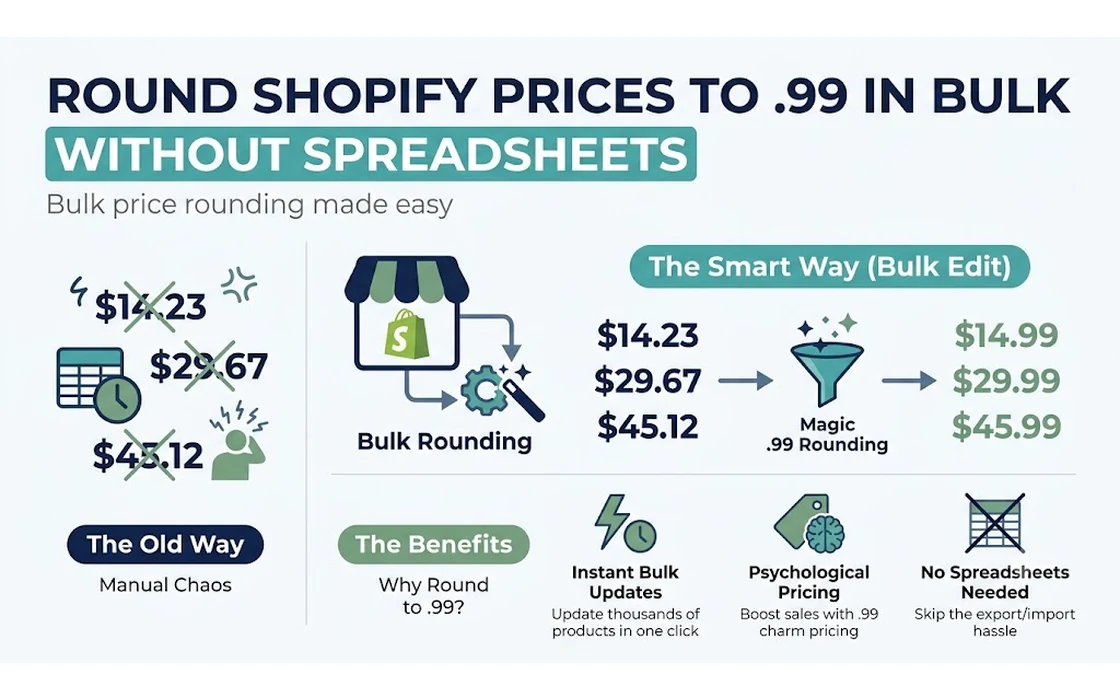
Shopify does not provide a native feature to automatically round base store catalog prices to .99 or .00, leaving store operators to either wrestle with spreadsheet formulas or adopt automated bulk pricing applications. While Shopify does include automatic price rounding rules inside Shopify Markets, that functionality is strictly confined to international currency conversions and cannot be applied to a merchant’s primary, base currency catalog.
When adjusting prices across an entire catalog—whether applying a 10% seasonal discount, offsetting supplier inflation, or aligning with psychological pricing conventions—unrounded mathematical calculations inevitably produce messy figures. A product originally priced at Rs. 499 subject to an 8% increase becomes Rs. 538.92, while a 15% markdown transforms a Rs. 999 item into Rs. 849.15. Unstructured price endings look untidy to prospective buyers, clutter advertising feeds, and dilute consumer perception of brand professionalism.
Solving this challenge requires understanding the operational divide between manual spreadsheet updates and direct rule-based automation. While exporting and re-importing a product CSV file remains the traditional, no-cost fallback, modern store operations increasingly rely on native API rule engines to execute bulk rounding adjustments instantly, eliminating file corruption hazards and human data-entry mistakes.
Key takeaways
- Native limitations: Shopify Markets automatically rounds converted foreign currencies, but native Shopify offers no automated rounding rules for your primary domestic currency.
- The spreadsheet risk: Updating prices via Excel or Google Sheets requires custom mathematical formulas (
CEILING,ROUND) and carries significant risks of variant mismatch, encoding corruption, and feed delays. - Rule-based automation: Dedicated bulk editing tools allow merchants to set conditional rounding parameters (.99, .95, or .00) directly against collections or tags without exporting files.
- Psychological alignment: Selecting between .99 (charm pricing) and .00 (prestige pricing) depends heavily on whether your brand positions itself around everyday value or premium luxury.
Why Native Shopify Lacks Base Price Rounding Rules
According to the official Shopify Help Center, automated price rounding is explicitly built as a component of multi-currency operations within Shopify Markets. When an international visitor accesses a store from a region configured with currency conversion, Shopify applies market-level exchange rates and rounds the converted totals according to predefined regional rules (such as rounding to the nearest 0.99 EUR or 100 JPY).
However, Shopify treats your base catalog currency as an absolute source of truth. The platform does not alter domestic price fields dynamically because doing so could distort foundational accounting records, cost-of-goods calculations, and tax-inclusive reporting metrics. As a result, when an operator navigates to the Shopify admin to adjust prices across a collection, the native bulk editor requires manual, line-by-line typing unless a third-party app or spreadsheet is introduced.
This platform design creates friction whenever store-wide catalog adjustments occur:
- Percentage-based markdowns: Applying a flat 12% discount across 2,000 SKUs generates fractional decimal endings across your entire catalog.
- Supplier cost updates: When suppliers raise costs by 5.5%, multiplying wholesale figures to preserve profit margins leads to chaotic customer-facing prices like Rs. 1,234.37.
- Compare-at price dissonance: If sale prices are manually adjusted without recalculating the compare-at price to a clean ending, the storefront displays unpolished strikethrough prices.
To explore the broader administrative tools available across the platform, read our detailed guide on how to bulk edit prices on Shopify: native, CSV & apps.
The Manual CSV Formula Approach: Mechanics and Vulnerabilities
For stores operating without specialized software, the default method for bulk rounding involves exporting product data into a spreadsheet, applying mathematical formulas, and re-importing the modified file into Shopify.
+--------------------------------------------------------------------------+
|                        CSV Rounding Pipeline                             |
+--------------------------------------------------------------------------+
| 1. Export Shopify CSV (Filter by Active Products)                        |
|        │                                                                 |
|        ▼                                                                 |
| 2. Isolate Variant Price and Variant Compare At Price columns            |
|        │                                                                 |
|        ▼                                                                 |
| 3. Apply Spreadsheet Formula (e.g., =CEILING(A2, 1) - 0.01)              |
|        │                                                                 |
|        ▼                                                                 |
| 4. Paste Values Only (Strip dynamic formulas)                            |
|        │                                                                 |
|        ▼                                                                 |
| 5. Re-import CSV with "Overwrite existing products" checked              |
+--------------------------------------------------------------------------+
The Standard Rounding Formulas
When using Google Sheets or Microsoft Excel, pricing teams rely on specific arithmetic formulas depending on the target psychological ending:
1. Rounding Up to the Nearest .99
To guarantee that prices always round upward to protect profit margins while maintaining a charm ending, use the CEILING function:
=CEILING(A2, 1) - 0.01
If cell A2 contains Rs. 542.15, =CEILING(542.15, 1) yields Rs. 543.00, and subtracting 0.01 results in Rs. 542.99.
2. Rounding to the Nearest .99 (Up or Down)
If you prefer standard mathematical rounding rather than strictly pushing prices upward:
=ROUND(A2, 0) - 0.01
Note: If A2 is exactly Rs. 542.10, =ROUND(542.10, 0) produces Rs. 542.00, resulting in Rs. 541.99.
3. Rounding to Clean Whole Numbers (.00)
For premium lifestyle brands or high-ticket Indian retail where decimal endings add unnecessary visual noise:
=ROUND(A2, 0)
Or, to force rounding to the next whole ten or hundred rupees (common in Indian ecommerce):
=CEILING(A2, 100) - 1
This converts Rs. 420 into Rs. 499, a standard psychological retail price point across Indian marketplaces.
Operational Pitfalls of the CSV Method
While spreadsheets cost nothing extra in software subscription fees, they carry notable operational risks:
- Variant Handle Mismatches: If your spreadsheet program modifies or splits product handles, re-importing can generate duplicate catalog entries rather than updating existing variants.
- Character Encoding Corruption: Programs like older versions of Excel can corrupt non-ASCII characters in product titles or descriptions upon re-saving UTF-8 CSVs.
- Formatting Stripping: Leading zeros in SKU or barcode columns are frequently stripped by spreadsheet software unless columns are strictly set to plain text prior to opening.
- Absence of Immediate Rollback: If a formula mistake shifts prices by an unintended magnitude, Shopify provides no native “undo” button for CSV imports. Every change must be diagnosed, re-calculated, and re-imported manually.
How to Round Shopify Prices in Bulk Without a Spreadsheet
To bypass the fragility of CSV imports, modern ecommerce operators use API-driven rule engines that process price adjustments directly on Shopify’s servers.
+--------------------------------------------------------------------------+
|                      Automated App Rule Engine                           |
+--------------------------------------------------------------------------+
| 1. Select Scope (Collection, Tag, Product Type, or Specific SKUs)        |
|        │                                                                 |
|        ▼                                                                 |
| 2. Define Adjustment (% Increase, Fixed Markup, or Base Calculation)    |
|        │                                                                 |
|        ▼                                                                 |
| 3. Set Rounding Rule (.99 / .95 / .00 / Custom Ending)                   |
|        │                                                                 |
|        ▼                                                                 |
| 4. Execute Live or Schedule (With automatic log file and 1-click undo)  |
+--------------------------------------------------------------------------+
Using a dedicated solution such as the NV Bulk Price & Tag Scheduler, the workflow eliminates local file manipulation entirely.
Step 1: Filter Target Products Using Granular Selectors
Rather than exporting a master file containing your entire product database, configure targeted rules within your admin:
- By Collection: Target specific categories (e.g., “Festive Sale 2026” or “Footwear”).
- By Tag or Vendor: Narrow adjustments down to specific brand partners or inventory batches.
- By Price Threshold: Restrict rules to items below or above a specific value (e.g., only items over Rs. 1,000).
Step 2: Configure the Mathematical Transformation
Define whether the adjustment is an absolute recalculation or an adjustment to existing figures:
- Maintain base margins: Increase current price by a fixed percentage (e.g., +8%).
- Populate compare-at prices: Copy current prices into the “Compare-at Price” field, then discount the active “Price” field by 15%.
Step 3: Select the Rounding Algorithm
Instead of writing nested formula strings, select the rounding parameter from a dropdown menu:
- Round to .99: Normalizes all adjusted prices to end in
.99(e.g., Rs. 849.99 or $19.99). - Round to .00: Strips decimals completely, converting all items into clean integers.
- Directional Control: Choose whether the algorithm applies a strict ceiling (always rounding up to preserve margin), floor (always rounding down for consumer favorability), or nearest midpoint rounding.
Step 4: Preview and Run with Automated Logging
Before committing changes to the live storefront, automated tools generate a staging preview showing the “Before” and “After” values for sample variants. Once validated, the update processes in the background via Shopify’s GraphQL Admin API. Because changes are logged centrally, reverting an unintended change does not require searching for old backup files. If unexpected results occur, consult our guide on how to undo a bulk price change on Shopify for step-by-step recovery methods.
Comparing the Approaches: Spreadsheet CSV vs. Direct App Automation
When deciding which method fits your store’s operational scale, compare the technical demands and risk profiles of both strategies.
| Operational Factor | Manual Spreadsheet (CSV) | Direct App-Based Automation |
|---|---|---|
| Setup Time | 30 to 90 minutes per adjustment | 2 to 5 minutes per rule |
| Formula Expertise Required | Intermediate (CEILING, ROUND, VLOOKUP) | None (Preset UI dropdowns) |
| Risk of Data Corruption | High (Encoding errors, handle shifts) | Near Zero (Direct API validation) |
| Rollback Capability | Manual (Requires pre-saved backup CSV) | 1-Click Automated Revert |
| Catalog Scalability | Prone to timeouts on catalogs >10,000 SKUs | Handles large inventories seamlessly |
| Scheduled Execution | Not possible natively (Requires manual upload) | Supports scheduled launch and auto-revert |
| Cost | Free (Excluding labor time) | App subscription or one-time license |
Choosing the Right Psychological Pricing Ending for Your Store
Psychological pricing—frequently called charm pricing—is not a one-size-fits-all tactic. The ending you assign to your catalog shapes buyer expectations regarding quality, urgency, and value.
Psychological Pricing Framework
│
├── .99 Ending (Charm Pricing)
│   ├── Retail, fast-fashion, clearance, consumables
│   └── Psychological trigger: Perceived discount, value orientation
│
├── .00 Ending (Prestige Pricing)
│   ├── Luxury goods, bespoke crafts, high-ticket B2B, premium electronics
│   └── Psychological trigger: Transparency, craftsmanship, premium stature
│
└── .49 / .95 Ending (Moderate Precision)
    ├── Mid-tier apparel, beauty accessories, household essentials
    └── Psychological trigger: Calculated fairness, competitive pricing
1. Charm Pricing (.99)
Ending prices in .99 leverages the well-documented “left-digit effect” in consumer psychology. Shoppers process numerical values subconsciously from left to right; pricing an item at Rs. 999 rather than Rs. 1,000 causes the mind to anchor on the initial digit (9), registering the purchase within an entirely lower magnitude tier.
- Best suited for: Impulse buys, flash sales, high-volume consumer goods, and competitive market segments.
- What to avoid: Using .99 on luxury leather goods, designer jewelry, or bespoke items, where bargain connotations can undermine perceived product exclusivity.
2. Prestige Pricing (.00)
Clean, round figures communicate confidence, premium craftsmanship, and frictionless purchasing. High-end lifestyle brands often favor whole numbers because they remove cognitive tension. A consumer purchasing a bespoke suit or high-end watch prefers seeing Rs. 15,000 rather than Rs. 14,999.99, which feels contrived.
- Best suited for: Luxury apparel, high-ticket enterprise goods, artistic commissions, and premium home décor.
- What to avoid: High-competition, price-sensitive commodity goods where even small differences determine marketplace conversions.
3. The Indian Market Context: Rs. 49, Rs. 99, and Rs. 499 Rules
In the Indian domestic ecommerce ecosystem, consumer mental benchmarks operate differently than Western dollar-and-cent markets. Indian shoppers rarely evaluate paisa (.99) decimals since physical cash and UPI digital transactions predominantly settle in whole rupees.
Instead, psychological rounding in India centers around whole-number thresholds:
- Sub-Rs. 500 zone: Products priced at Rs. 499 dramatically outperform items listed at Rs. 510 because Rs. 500 serves as a psychological barrier for spontaneous digital transactions.
- Sub-Rs. 1,000 zone: Items priced at Rs. 999 capture shoppers filtering marketplace catalogs with “Under Rs. 1,000” sorting parameters.
- Practical rule: When configuring rounding rules for an Indian catalog, rounding to the nearest zero decimal (.00) while ending the rupee figure in a 9 (e.g., Rs. 299.00 or Rs. 1,499.00) delivers better conversion traction than applying fractional paisa endings like Rs. 299.99.
Safety Best Practices Before Executing Bulk Price Changes
Altering catalog prices across hundreds or thousands of products directly affects live revenue streams. Regardless of whether you use an automated application or a manual spreadsheet, enforce standard operational safeguards prior to execution.
Pre-Execution Checklist
[ ] 1. Generate an unedited product catalog export (Baseline backup).
[ ] 2. Audit active discounts and automated coupon stacking rules.
[ ] 3. Verify compare-at price relationships (Price must remain <= Compare-at).
[ ] 4. Test calculation and rounding logic on an isolated test product.
[ ] 5. Monitor external sales channels (Google Merchant Center, Meta Catalog) for feed sync.
1. Maintain an Immutable Baseline Backup
Never initiate a bulk price edit without preserving an untouched snapshot of your active catalog. If utilizing native exports, save the original CSV to secure cloud storage labeled with the exact execution date and time. If utilizing automated tools, verify that the application logs your pre-run values.
2. Check for Compare-at Inversions
A frequent error during automated recalculations occurs when an unrounded formula raises an item’s base price higher than its registered compare-at price. In Shopify’s architecture, if Price exceeds Compare-at Price, the storefront either hides the discount badge or displays anomalous strikethrough figures that confuse customers. Ensure your rounding rules either adjust both fields proportionally or clear invalid compare-at values.
3. Account for External Feed Sync Latency
External marketing channels—including Google Shopping, Meta Product Catalogs, and marketplaces like Amazon or Myntra—synchronize data via scheduled API calls or XML/CSV feeds. When changing thousands of prices simultaneously:
- Product feeds may take anywhere from 2 to 24 hours to update across external channels.
- Discrepancies between the price on an ad landing page and the price inside Google Merchant Center can trigger temporary feed disapprovals under Google’s price mismatch policies.
- Schedule major bulk pricing adjustments during low-traffic windows to grant external spiders sufficient time to re-index your catalog.
FAQ
Does Shopify have a built-in feature to round prices to .99?
Shopify natively includes automated price rounding rules only for foreign currency conversions within Shopify Markets. It does not provide an automated tool to round prices to .99 or .00 for your primary base currency catalog. To round your core store prices, you must either write spreadsheet formulas in an exported CSV or use a dedicated bulk pricing application.
How do I round prices up to .99 in Google Sheets for a Shopify CSV?
To round prices up to .99 in Google Sheets, enter the formula =CEILING(A2, 1) - 0.01 (assuming your existing price is in cell A2). This formula rounds the number up to the next whole integer and subtracts one cent, ensuring your profit margin is preserved while establishing a clean charm-pricing ending. Remember to copy the formula results and use “Paste special > Values only” before re-importing the CSV.
Can bulk rounding cause issues with Google Shopping feeds?
Yes, if product prices update in your Shopify admin while external feeds (like Google Merchant Center) have not yet refreshed, Google’s automated crawlers may detect price mismatches between your product page and the ad feed. To avoid campaign interruptions, perform bulk updates during off-peak hours and trigger a manual feed fetch inside Google Merchant Center immediately after the update completes.
Is charm pricing (.99) effective for Indian ecommerce stores?
In the Indian market, fractional paisa endings like .99 are rarely used because digital payments via UPI and card gateways operate seamlessly on whole numbers. Instead, psychological pricing in India centers on whole-rupee endings such as Rs. 499, Rs. 999, or Rs. 1,499. For Indian merchants, rounding to clean .00 decimals while anchoring the rupee value just below major currency thresholds yields higher consumer trust and engagement.
Conclusion
Relying on manual spreadsheets to apply psychological price rounding across a growing Shopify catalog introduces friction, risks data corruption, and consumes valuable operational hours. While spreadsheet formulas like CEILING and ROUND remain useful fallback options for small, one-time catalog adjustments, they lack the scalability, safety guardrails, and rollback mechanisms required by modern multichannel merchants.
Adopting an automated, rule-based approach allows you to execute precise catalog-wide price normalization in minutes rather than hours. By defining your target rounding behavior—whether setting charm prices at .99 or clean prestige figures at .00—directly within your store admin, you safeguard profit margins, deliver a consistent storefront presentation, and keep your operational focus centered on growth.
- Tags:
- Shopify Pricing
- Bulk Price Editor
- Psychological Pricing
- Shopify Operations
- Ecommerce Automation
- Charm Pricing