
WordPress vs Static Site: Which Is Better?
Compare WordPress vs static site architectures to understand performance, security, Indian hosting costs, and which option fits your website needs.

- NV Trends
- 18 min read
- Updated
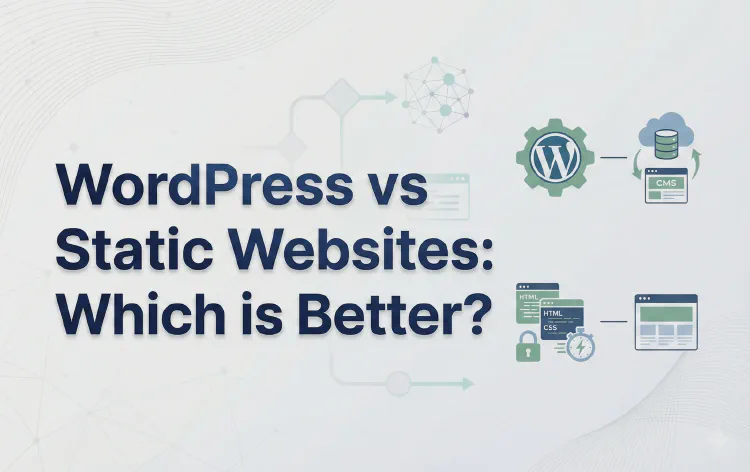
When evaluating a wordpress vs static site setup, WordPress is fundamentally not a static website; it is a dynamic content management system that compiles web pages on demand from a database, meaning the choice between them comes down to whether your project demands dynamic content publishing or the unmatched speed, security, and lower hosting expenses of pre-rendered files.
In the digital landscape across India, establishing a robust web presence is no longer optional for growing enterprises. Whether you are operating a manufacturing consultancy in Pune, launching a direct-to-consumer artisanal store in Jaipur, or building an independent agency in Bengaluru, selecting your underlying web infrastructure determines your long-term maintenance costs, search visibility, and engineering overhead. For technology professionals and founders reading this guide, choosing the right stack early prevents costly technical rewrites down the line.
For nearly two decades, WordPress has served as the default foundation for websites worldwide, powering a vast share of commercial and editorial destinations. At the same time, modern tooling has sparked a massive resurgence in static websites powered by Static Site Generators (SSGs) and content delivery networks (CDNs). While static sites originally represented the earliest form of the World Wide Web, modern static architectures are engineered for high-performance delivery, automated deployment pipelines, and maximum security.
Key takeaways
- Core distinction: WordPress is a dynamic Content Management System that queries a MySQL database and executes PHP code on every visitor request, whereas a static website serves pre-built HTML, CSS, and client-side JavaScript assets directly from storage or a CDN.
- Performance & SEO: Static websites deliver near-instantaneous Time to First Byte (TTFB) and superior Core Web Vitals, which is especially beneficial on fluctuating mobile data connections across tier-2 and tier-3 Indian cities.
- Security & maintenance: Static sites have virtually zero server-side attack surface and require no routine database patching; WordPress requires frequent updates to its core, themes, and third-party plugins to mitigate vulnerabilities.
- Cost comparison: As of 2026, entry-to-mid tier WordPress hosting in India typically costs between Rs. 200 and Rs. 2,000 per month, whereas static websites can often be hosted for free or at negligible cost on global edge platforms like GitHub Pages, Cloudflare Pages, or Netlify.
- Operational ease: WordPress empowers non-technical editorial teams with an intuitive visual editor and native media library, making it ideal for e-commerce and high-frequency publishing, whereas static sites generally require developer workflows or decoupled headless publishing tools.
Is WordPress a Static Website? How Dynamic Architecture Operates
To answer the query directly: no, WordPress is not a static website. By design, WordPress is an open-source, dynamic Content Management System built on PHP and backed by a relational database management system, usually MySQL or MariaDB.
To understand why WordPress cannot be classified as static, it helps to examine what happens behind the scenes during a single page visit. As outlined in technical documentation from MDN Web Docs, dynamic websites generate content on the fly rather than serving identical, pre-existing files stored on a server disk.
How WordPress Compiles Pages in Real Time
When a user opens their mobile browser in Mumbai and requests a post from a WordPress blog, the following execution chain takes place on the server:
- Request reception: The web server (Apache, Nginx, or LiteSpeed) receives the incoming HTTP/HTTPS request.
- PHP execution: The server invokes the PHP runtime to execute WordPress core application files, the active theme template files, and every active plugin.
- Database querying: WordPress executes multiple SQL queries against the MySQL database to retrieve the post text, author information, category tags, site settings, and comment records.
- HTML assembly: PHP combines this retrieved data into a newly constructed HTML document.
- Payload response: The finished HTML string is transmitted back across the network to the visitor’s browser.
A classic restaurant analogy illustrates this mechanism clearly: WordPress functions like a traditional dining restaurant where an order is placed, the chef gathers raw ingredients from the pantry, prepares the meal upon request, and plates it before serving. While this approach allows immense customization, it inherently consumes computing cycles and introduces latency for every single request unless robust caching layers are configured.
The Trade-Offs of the Dynamic Model
The primary benefit of this dynamic model is interactivity and flexibility. If an editor updates a product price or fixes a typographical error in the admin dashboard, the change takes effect immediately for the next visitor without requiring a manual site re-compilation. Features like user authentication, gated memberships, native comments, and live search operate natively because the application can process incoming form submissions and interact directly with persistent database storage.
However, the dynamic architecture introduces server bottlenecks. If your WordPress site suddenly receives ten thousand visitors simultaneously during an Indian festive sale or a viral social media campaign, your server must execute PHP processes and database queries for each concurrent visitor. Without high-end server configurations or multi-tiered caching layers, this overhead can exhaust server memory and cause database connection errors. To explore how CMS architectures structure data handling in depth, read our dedicated guide on What is a Content Management System (CMS)?.
What Is a Modern Static Website?
In contrast to a dynamic CMS, a static website consists strictly of pre-rendered, unchanging assets: HTML markup files, CSS stylesheets, client-side JavaScript, and media assets like images and fonts. When a visitor requests a URL on a static site, there is no server-side compilation, no PHP runtime, and no database query.
Returning to our restaurant analogy, a static website is like a pre-packaged gourmet buffet. The food has already been cooked, packaged, and placed on the display shelf. When a customer arrives, they immediately pick up the meal without waiting for a chef to fire up a stove.
How Static Site Generators (SSGs) Work
In the early days of the web, building a static site meant manually writing separate .html files for every page, which made managing global menus or footers tedious. Modern static architectures have eliminated this limitation through Static Site Generators such as Hugo, Jekyll, Astro, Eleventy, and Gatsby.
According to developer documentation on GitHub, modern static publishing workflows typically follow these steps:
- Template and content separation: Site structure and design components are written as modular templates, while content is written in lightweight Markdown or plain text.
- Build-time compilation: When you run a build command (or push code to a version-controlled repository), the generator runs once on your local machine or a cloud build server, rendering hundreds or thousands of complete HTML pages in seconds.
- Flat file deployment: The resulting folder of pre-built files is deployed directly to high-availability file storage or a distributed global Content Delivery Network.
The Shift to Jamstack and Edge Networks
The modern evolution of static websites is frequently referred to as the Jamstack (JavaScript, APIs, and Markup). Instead of maintaining a monolithic server that handles both content rendering and business logic, Jamstack sites offload rendering to build time, while dynamic interactive features (such as contact forms, search bars, or payment checkouts) are handled via client-side JavaScript communicating with third-party microservices and APIs.
Because static files require no dynamic server resources, they can be distributed across edge nodes hosted by providers such as Cloudflare, Vercel, or Netlify. When a user in Chennai accesses a static website, the HTML is delivered from an edge node located geographically close to them—often in Chennai or Mumbai—minimizing transit latency across international undersea cables.
WordPress vs Static Site: Key Architecture Differences Compared
To evaluate a wordpress vs static site approach systematically, consider how their technical components, resource requirements, and operational profiles compare:
| Evaluation Dimension | WordPress (Dynamic CMS) | Static Website (SSG / Jamstack) |
|---|---|---|
| Core Architecture | Dynamic client-server with runtime processing | Pre-rendered flat files (HTML, CSS, JS) |
| Database Requirement | Relational database required (MySQL/MariaDB) | No database required at runtime |
| Page Rendering Time | Server-side upon every user request | Pre-rendered at build time |
| Typical Time to First Byte (TTFB) | 200ms – 1200ms+ (depends on hosting & caching) | 20ms – 100ms (served directly from edge CDN) |
| Security Attack Surface | Broad (core code, theme flaws, plugin scripts) | Minimal (read-only files, no server-side code) |
| Routine Maintenance | High (weekly plugin, core, and database updates) | Low (“set-and-forget”, no backend to patch) |
| Hosting Cost in India (as of 2026) | Rs. 200 to Rs. 2,000+ per month for reliable hosting | Rs. 0 to Rs. 500 per month (generous free tiers) |
| Editorial Interface | Graphical WYSIWYG / Block Editor (Gutenberg) | Markdown files, Git commits, or Headless CMS |
| Native Interactivity | Built-in comments, user accounts, and cart logic | Requires third-party APIs or serverless functions |
| Traffic Scalability | Requires autoscaling, caching, and CPU memory | Near-infinite horizontal scale via global CDNs |
| Ideal Use Cases | E-commerce, multi-author news sites, memberships | Portfolios, corporate brochures, documentation |
In-Depth Breakdown: Core Evaluation Factors
1. Speed, Core Web Vitals, and Network Performance in India
Page speed directly influences search engine rankings and conversion rates. According to guidelines published by Google Developers, Core Web Vitals—including Largest Contentful Paint (LCP) and Interaction to Next Paint (INP)—measure how rapidly users can perceive and interact with page content.
For Indian audiences, performance is particularly critical. While metro hubs benefit from high-speed fiber broadband and expanding mobile connectivity, users in semi-urban and rural areas frequently encounter latency spikes or network congestion. Understanding how mobile infrastructure impacts page delivery is crucial; for an analysis of how network transitions affect data delivery, see our technical breakdown on 5G vs 4G: Key Differences Explained.
- Static site advantages: Because there are no database queries or server-side scripts to run, static websites deliver near-instantaneous Time to First Byte. A lightweight Hugo or Astro page often measures under 100 KB total payload, allowing it to render smoothly even over constrained 4G mobile connections.
- WordPress hurdles: A standard WordPress site must execute dozens of PHP scripts and load multiple CSS and JavaScript files injected by various plugins before delivering the visual layout. Without advanced optimization plugins (like WP Rocket or LiteSpeed Cache) and database indexing, mobile visitors may experience noticeable rendering delays.
2. Security Vulnerabilities and Attack Surface
Security represents one of the starkest contrasts in the wordpress vs static site comparison.
WordPress is targeted frequently by automated bots and malicious actors simply due to its vast market footprint. Most WordPress security breaches originate from unpatched third-party plugins and themes rather than the core platform itself. A single outdated contact form plugin or insecure slider widget can provide an entry point for SQL injection, cross-site scripting (XSS), or malicious redirects. Site owners must maintain strict password protocols, install security plugins, schedule regular database backups, and monitor activity logs.
Static sites, by contrast, possess almost zero server-side attack surface. There is no SQL database to inject, no PHP interpreter to exploit, and no administrative /wp-admin dashboard exposed to brute-force credential stuffing. The underlying files sit read-only on edge storage. While client-side JavaScript can still be vulnerable to external script tampering if dependencies are unvetted, the hosting server itself cannot be compromised in traditional fashion.
3. Hosting Costs and Infrastructure Overhead (in Rs. as of 2026)
Budget planning is vital for any Indian enterprise or indie project.
- WordPress hosting costs: Because WordPress requires an environment running PHP and a database engine, shared hosting plans with sufficient CPU headroom generally start around Rs. 200 to Rs. 500 per month as of 2026. For higher-traffic commercial sites requiring Managed WordPress hosting with daily backups, staging environments, and dedicated RAM, costs commonly range from Rs. 1,000 to Rs. 2,500+ per month. Furthermore, premium plugins (such as advanced backup utilities, multilingual modules, or SEO suites) often involve recurring annual software licensing fees.
- Static website hosting costs: In contrast, static sites can be deployed with zero ongoing server costs. Platforms such as GitHub Pages, Cloudflare Pages, Vercel, and Netlify provide generous free tiers that easily accommodate thousands of monthly pageviews without charge. As of 2026, the only non-negotiable annual expense for a standard static business site is a custom domain registration, which typically costs around Rs. 800 to Rs. 1,200 per year for a
.inor.comextension.
4. Content Publishing Workflow and Ease of Use
Ease of publishing represents the primary reason WordPress maintains its popularity among non-technical creators:
- WordPress simplicity: Anyone comfortable using common productivity software like Microsoft Word or Google Docs can operate WordPress. The Gutenberg block editor allows users to format text, embed YouTube videos, create image galleries, and schedule publications through a visual interface. Editors can assign distinct user roles (such as Administrator, Editor, Author, and Contributor) to manage permissions across editorial teams.
- Static site developer barrier: Traditional static site generators rely on technical workflows. Adding a new blog post involves creating a Markdown (
.md) file, entering frontmatter metadata (title, date, tags), committing the change via Git, and triggering a build pipeline. While software engineers appreciate this workflow because it integrates with version control and code review mechanisms, non-technical writers, marketers, and executive assistants frequently find the command line and Git concepts intimidating.
5. Scalability Under Heavy Traffic Surges
When a product launch, press release, or viral social post drives tens of thousands of simultaneous visits, architectural resilience is tested:
- Static sites: Because static assets are cached across hundreds of global CDN edge servers, handling sudden traffic spikes requires no manual intervention. Serving a pre-rendered HTML file requires minimal compute resources, making edge networks capable of absorbing massive traffic spikes effortlessly.
- WordPress: Without sophisticated multi-tier caching architectures (such as Redis object caching, Cloudflare full-page caching, or reverse-proxy Nginx servers), high concurrency can overwhelm database connections, leading to “Error Establishing a Database Connection” notices.
When Should You Choose WordPress for Your Business?
WordPress remains an outstanding choice when your project demands dynamic functionality, self-service content management, and rapid feature expansion without custom programming.
1. E-Commerce and Indian Payment Ecosystems
If your objective is selling physical or digital goods online, WordPress paired with WooCommerce provides a mature, battle-tested ecosystem. It handles shopping carts, discount coupons, variable inventory, shipping calculations, and domestic tax rules seamlessly. Crucially for Indian commerce, WooCommerce integrates smoothly with domestic payment gateways like Razorpay, Cashfree, and PayU, enabling instant checkout via UPI, NetBanking, and RuPay cards. Building equivalent end-to-end checkout functionality on a pure static site requires stitching together multiple third-party microservices.
2. Dynamic Portals, Communities, and Membership Hubs
Whenever a website requires user accounts, registration forms, password resets, private member dashboards, or discussion boards, WordPress provides ready-made frameworks. Trying to replicate a complete community forum or subscription-gated academy on a static website introduces substantial architectural complexity.
3. Non-Technical Content Teams and Daily Editorial Cycles
If your organization employs non-technical writers, marketing specialists, and guest authors who produce multiple articles daily, WordPress provides a collaborative, frictionless workflow. Features like revision history, draft previewing, media library asset management, and scheduled publishing work out of the box without requiring code commits or technical oversight.
When Should You Choose a Static Website?
A static website is the superior modern choice when your primary operational goals are raw performance, low hosting overhead, ironclad security, and structural simplicity.
1. Corporate “Brochure” and Showcase Websites
Many businesses—such as chartered accountancy firms, manufacturing enterprises, regional logistics providers, and professional consultancies—simply need a fast, elegant digital brochure. These websites showcase company services, leadership credentials, client testimonials, case studies, and contact details. Because the content rarely changes more than once or twice a quarter, hosting a live MySQL database and PHP backend serves no functional purpose and only introduces unnecessary maintenance overhead.
2. Developer Portfolios and Technical Documentation
Software engineers, UI/UX designers, and technical writers almost universally gravitate toward static sites. Tools like Docusaurus, Starlight, and Hugo allow developers to organize complex technical documentation with clean Markdown syntax, built-in syntax highlighting, algorithmic search integration, and automated deployments via Git.
3. Projects with Zero-Maintenance and Tight Budget Mandates
If you are building an informational portal for an NGO, an alumni group, or a localized community initiative with no dedicated IT budget, a static site deployed on a free edge tier guarantees that the site will stay online indefinitely without risk of database corruption, plugin deprecation, or unexpected hosting invoices.
Can You Combine Both? (Headless WordPress and Static Exporting)
For organizations seeking the editorial convenience of WordPress alongside the speed and security of a static frontend, hybrid approaches have emerged:
- Headless WordPress: In this decoupled architecture, WordPress is deployed strictly on a private or password-protected backend server. Writers use the familiar WordPress dashboard to draft and organize content. A modern frontend framework (such as Next.js, Astro, or Nuxt) fetches data from the WordPress REST API or GraphQL endpoint during build time to generate static HTML pages. Visitors interact exclusively with the blazing-fast static edge deployment, while the WordPress administrative server remains shielded from public traffic.
- Static Export Plugins: For simple blogs, plugins such as Simply Static allow site owners to run WordPress locally on their laptop (using environments like LocalWP). Once an article is written, the plugin exports the entire site into flat HTML, CSS, and image files, which are then uploaded to static hosting. This method delivers the security and speed of static files while retaining a desktop-based visual editing experience, although dynamic features like native WordPress comments must be replaced with third-party tools.
Practical Decision Framework: What to Do and What to Avoid
To help businesses and developers evaluate their options objectively, follow these practical architectural guidelines:
What to Do
- Audit your update frequency: If your content changes monthly or quarterly, strongly consider a static architecture to eliminate maintenance duties. If your team publishes multiple daily posts, choose WordPress or a headless CMS setup.
- Factor in total cost of ownership (TCO): When budgeting for WordPress, calculate the cost of managed hosting, premium theme licenses, backup tools, and security monitoring, not just entry-level shared hosting.
- Implement a CDN regardless of stack: If you choose WordPress, deploy Cloudflare or an equivalent CDN in front of your server to cache static assets and reduce origin server load across Indian network routes.
- Keep WordPress installations lean: Only install plugins that provide indispensable functionality. Audit and deactivate redundant plugins regularly to prevent database bloat and code conflicts.
What to Avoid
- Avoid choosing WordPress by default: Do not assume a simple 5-page business site requires a complete CMS simply because WordPress is familiar.
- Avoid building custom dynamic backends on static sites unnecessarily: If your project requires complex relational data, multi-tiered user privileges, and active inventory tracking, forcing a static site generator to handle these needs via scattered third-party APIs can create brittle, unmaintainable technical debt.
- Avoid ignoring WordPress update alerts: Never ignore pending security patches for themes or plugins; outdated components represent the leading cause of compromised installations.
- Avoid over-complicating technical stacks for non-technical clients: If you are an agency handing off a website to a client who cannot navigate Git or Markdown, do not deliver a pure static site without a friendly headless CMS interface.
Comparison Summary: Which Is Right for You?
Choosing between a wordpress vs static site approach comes down to balancing operational convenience against architectural efficiency:
- Choose WordPress if: You need native e-commerce (WooCommerce), interactive membership tiers, an intuitive visual editor for a multi-author content team, or rapid feature prototyping using pre-built plugins.
- Choose a Static Website if: You prioritize lightning-fast page loading, perfect Core Web Vitals, zero routine software patching, near-zero hosting expenses, and unmatched resilience under high traffic.
FAQ
Is WordPress a static website?
No, WordPress is not a static website; it is an open-source, dynamic Content Management System (CMS). When a visitor accesses a WordPress site, the web server executes PHP code and queries a MySQL database in real time to assemble and render the HTML page, whereas a static website serves pre-compiled flat files directly without database interaction.
In WordPress vs static site, which architecture is better for SEO?
From a purely technical perspective, static websites hold an advantage for search engine optimization because they provide faster Time to First Byte (TTFB), lightweight code structures, and superior Core Web Vitals scores. However, WordPress can also rank exceptionally well when paired with robust caching mechanisms, an optimized theme, and mature SEO plugins like Yoast or Rank Math that streamline metadata, schema markup, and sitemap generation.
Can you convert an existing WordPress site into a static site?
Yes, you can convert an existing WordPress site into a static website using dedicated export tools or static site generation plugins such as Simply Static. Alternatively, you can use WordPress as a “headless CMS,” where content is managed inside the WordPress admin dashboard but retrieved via APIs by modern static site frameworks (like Astro or Next.js) to render flat HTML files for deployment on a global CDN.
Which option is cheaper to run for an Indian business as of 2026?
A static website is significantly cheaper to operate, as modern static platforms (such as GitHub Pages, Cloudflare Pages, or Netlify) offer generous free tiers that can host small-to-mid sized business sites with zero monthly hosting fees beyond standard annual domain registration (around Rs. 800 to Rs. 1,200 per year). In contrast, reliable WordPress hosting in India generally costs between Rs. 200 and Rs. 2,000 per month as of 2026, plus potential recurring fees for premium themes and maintenance plugins.
Why do tech readers favor static architectures for modern sites?
Readers and software professionals frequently favor static websites because they align with modern DevOps best practices, including Git-based version control, continuous integration and continuous deployment (CI/CD) pipelines, and serverless edge delivery. Static sites eliminate database administration and patch management headaches entirely, allowing developers to focus on performance and content without worrying about server crashes or plugin vulnerabilities.
Conclusion
The debate between WordPress vs static site architectures is not about determining which platform is universally superior, but rather identifying which tool aligns with your specific organizational capabilities and business goals.
If your priority is rapid content iteration, hands-off administration for non-technical staff, or a comprehensive e-commerce storefront integrated with Indian payment rails, WordPress remains an extraordinarily versatile and practical platform.
Conversely, if your site consists primarily of informational content that changes infrequently—and your priorities are maximum mobile loading speeds, ironclad security, zero database maintenance, and minimal hosting expenses—a modern static website is an unbeatable technical solution. By carefully analyzing your publishing workflows, technical resources, and budget constraints as of 2026, you can deploy a web architecture that serves your audience smoothly and scales reliably for years to come.
- Tags:
- Wordpress
- Static Site
- Web Development
- Cms
- Jamstack
- Seo